

I Thought This Was Just a Pi-hole Replacement #
Honestly, I installed Technitium DNS out of curiosity. A friend mentioned it briefly in a homelab forum, and I thought, ah, this is probably just another Pi-hole variant with a different UI. My expectations were low. I was already comfortable with Pi-hole, knew how it worked, and wasn’t looking for new problems.
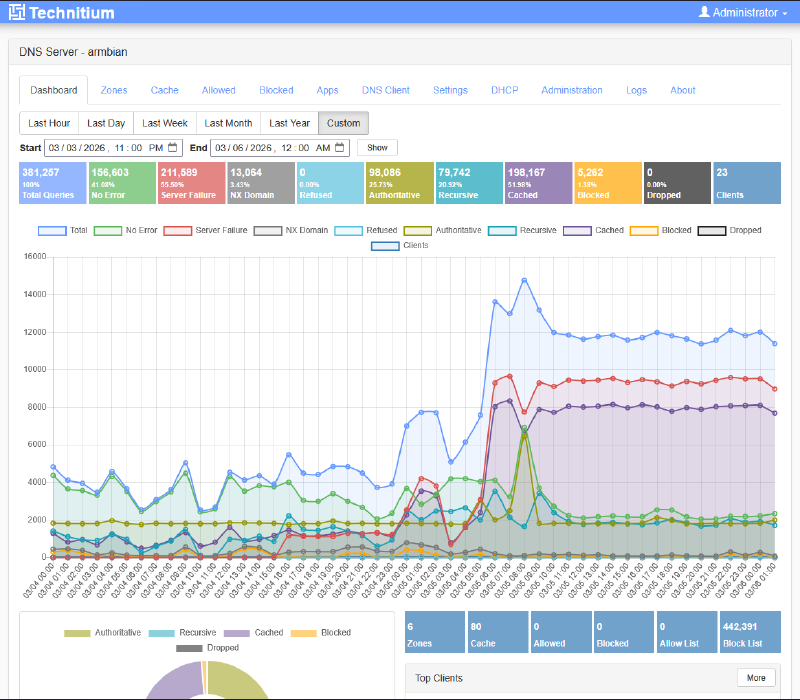
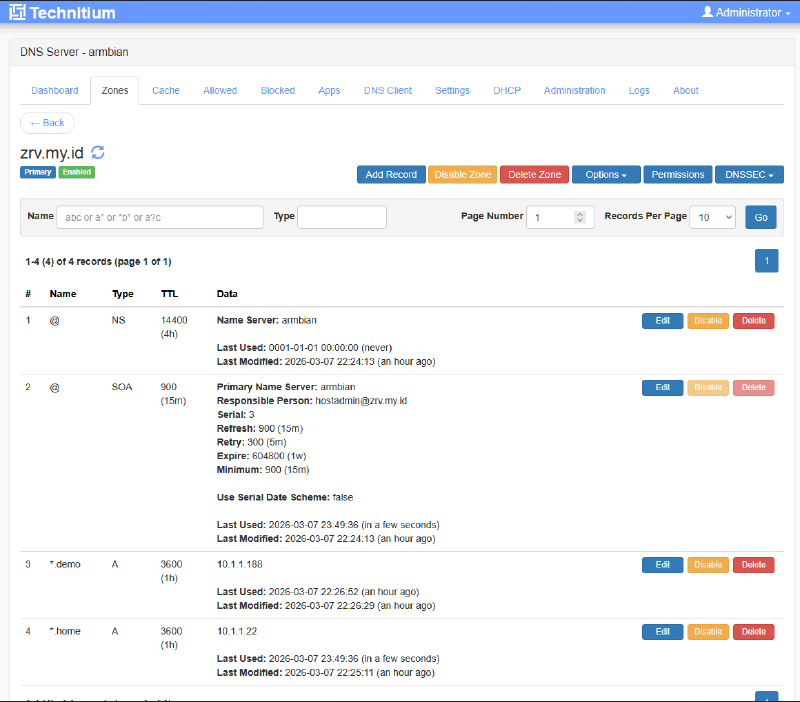
But then I opened the dashboard. Then I clicked the DNS Zones tab. Then I read the documentation for a bit.
And I went silent.
Not because Technitium was so complicated. Quite the opposite, it made it painfully clear just how much I had been under-utilizing DNS in my own homelab. I had been driving something far more powerful than I realized, and I only figured that out after all this time.
We’ve Been Defining DNS Too Narrowly for Too Long #
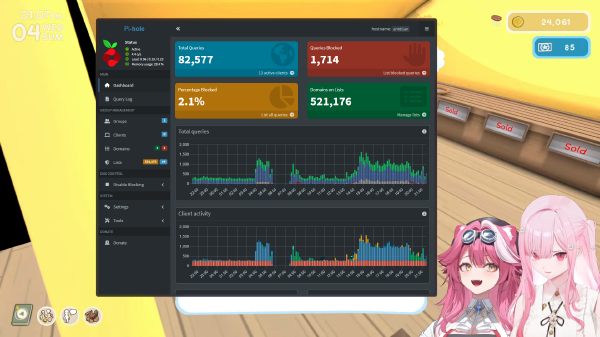
For most homelabbers, the journey of understanding DNS starts at one place: Pi-hole. And Pi-hole is a remarkable teacher. It taught us that DNS can be controlled, filtered, and used as a first line of defense against ads and trackers. That was a revelation in itself for many of us.
But without realizing it, Pi-hole also shaped a perception that was too narrow: DNS = ad blocker. When in reality, DNS is so much more than that.
DNS is the addressing system for our entire network. It is the layer that determines how every device, every service, every container can find each other. If our DNS is messy or too simplistic, the entire homelab infrastructure feels like a city with no street signs.
Pi-hole deserves enormous credit for introducing DNS to the homelabber community. But there is always a higher level, and Technitium DNS sits up there.
When the Homelab Grows, Pi-hole Starts Feeling Cramped #
There is a moment that almost every serious homelabber experiences: when the setup that once felt sufficient suddenly starts feeling tight.
You start running more than ten services. There’s Proxmox, a few VMs, Jellyfin, Nextcloud, Vaultwarden, Gitea, maybe several Docker containers. You start segmenting the network into multiple VLANs. And suddenly you realize, the hostnames of these services don’t resolve cleanly across subnets. You start setting up Unbound as a recursive resolver behind Pi-hole, or maybe cloudflared as a DoH forwarder, two different approaches, two separate components, two things that need to be kept alive and in sync. And every new VLAN means additional configuration scattered across the board.
It’s not Pi-hole’s fault. It simply wasn’t designed for that, its Local DNS Records only support A/AAAA and CNAME, with no PTR, MX, or SRV. Its conditional forwarding is also limited to reverse DNS so that DHCP hostnames can resolve, not for routing specific zone queries to different upstreams. Pi-hole is a very good screwdriver, but sometimes you need a full toolkit.
| Pi-hole Limitations | What Technitium Can Do |
|---|---|
| Local DNS limited to A/AAAA & CNAME | Full DNS record types, A, CNAME, PTR, MX, SRV, and more |
| Requires Unbound or cloudflared as a separate component | Recursive resolver & DoH/DoT already built-in as a single application |
| Conditional forwarding only for reverse DNS/DHCP hostnames | Per-zone forwarding to different upstreams, great for multi-VLAN & split DNS |
| No local DNS Zone | Full authoritative DNS Zone for your own local domain |
And here is the most exciting part for serious homelabbers: with Technitium, you can essentially build the same DNS infrastructure that Cloudflare, Google, or other major DNS providers run, except entirely in your own home. You can become the authoritative nameserver for your local domain, manage your own DNS zones, serve queries over DoH/DoT, and even run a secondary DNS server as a backup. Not a simulation, not a workaround, but a genuine DNS architecture running on the hardware sitting in the server rack in your living room. This isn’t just a gimmick; it’s a way to deeply understand how DNS actually works while building infrastructure that is truly solid.
Technitium Treats DNS as Infrastructure, Not a Feature #
This is the most important point, and the one most often overlooked in typical technical comparisons.
Technitium isn’t better than Pi-hole because it has more features. It’s different because its design philosophy is different. Technitium was built by someone thinking like a network engineer, someone who sees DNS as a core infrastructure component, not just a traffic filter.
Three things that changed how I see it:
- DNS Zones: Your homelab finally has its own city grid. Create a local domain like
home.lab, manage all your A records and CNAMEs directly from the UI. No more scattered configuration. - Built-in Recursive Resolver: No more dependency on Unbound as a separate component. Technitium can resolve directly to root nameservers, with no intermediary that needs to be maintained separately.
- Native DoH/DoT: Privacy and DNS encryption are not an afterthought. Can be enabled directly, both as a server and as a forwarder, without installing cloudflared or any additional setup.
This isn’t about a feature checklist. It’s about how a tool approaches the problem it solves.
Technitium Is Not Without Flaws #
A good opinion piece doesn’t sell, it tells the truth. So let me be honest.
The Technitium community is still far smaller than Pi-hole’s. If you get stuck and need a quick answer from a forum or Reddit, you’re far more likely to find a solution for Pi-hole. Technitium’s documentation is decent, but some areas could be more thorough.
The learning curve is also steeper. Precisely because its features run deep, there’s a lot that can be configured, and that can feel overwhelming at first. For homelabbers who are just starting out, or whose networks are genuinely simple and only need ad blocking, Pi-hole remains an excellent choice and there’s no need to replace it.
Technitium isn’t for everyone. But for homelabbers whose infrastructure is already getting complex, Technitium DNS is an upgrade that feels completely natural.
This Isn’t About the App, It’s About How We Build Our Homelabs #
There’s an interesting pattern in the homelabber community. We often choose tools based on popularity and ease of entry, then stay stuck there even when our needs have long outgrown what those tools can offer.
How often do we reach for a “just enough” solution when a more solid foundation is already available? This isn’t just about DNS, it’s about the mindset we bring to building a homelab.
Technitium teaches something beyond just how DNS works. It teaches homelabbers to think like real sysadmins, people who see every infrastructure component as something to be deliberately designed, not just installed and forgotten.
There’s a particular satisfaction when your homelab feels solid from the ground up. When hostnames resolve cleanly, when there are no longer separate components to babysit, when you know exactly how a DNS query travels through your own network.
Maybe It’s Time You Outgrow Pi-hole #
This isn’t a call to throw Pi-hole away. Pi-hole is a remarkable tool that has contributed enormously to the homelabber community. It deserves its respect.
But if your homelab is already running more than ten services, spans multiple VLANs, and you’ve started dreaming about having your own clean local domain, you might already need more than just an ad-blocker.
Technitium is out there. Quietly waiting to be discovered. And when you find it, you’ll feel exactly what I felt, not excitement over new features, but a quiet confidence that the DNS foundation of your homelab finally feels right.
At the end of the day, the best tool is the one that fits your needs and the way you think. If this article made you reconsider your homelab DNS setup, mission accomplished. If not, that’s perfectly fine too. What matters is that you never stop asking whether the foundation you’re building today is still sufficient for the homelab you’re dreaming of tomorrow. Upvote if this was useful, and share your DNS setup in the comments!