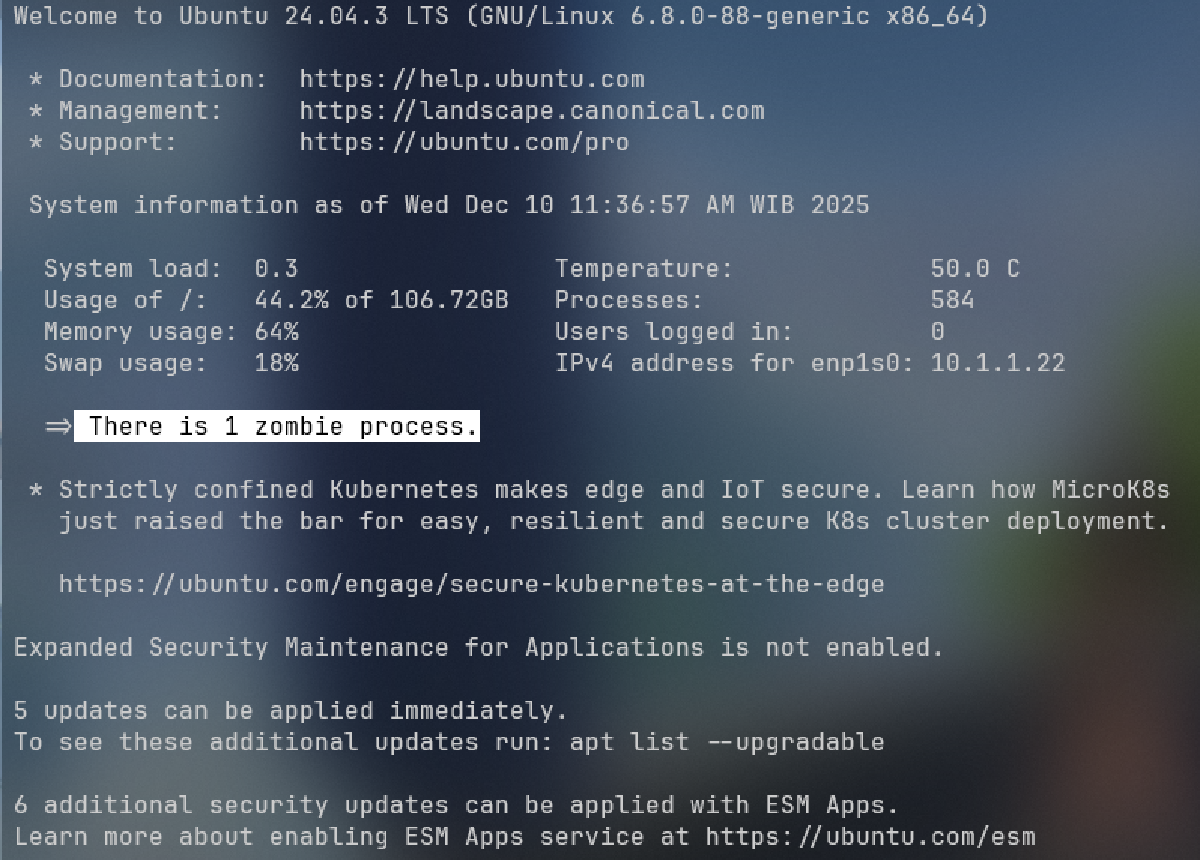


Have you ever noticed strange processes with a <defunct> status while monitoring your Ubuntu system? These are zombie processes—the “ghosts” of processes that have finished execution but still haunt your process table. While they don’t consume CPU or RAM, a large number of them can indicate software bugs or eventually clog your system’s process table.
A zombie process is essentially a remnant entry of a task that has completed, but its Parent Process has failed to call the wait() function to collect its exit status. Think of it like a dirty plate left on a restaurant table; the meal is over, but the table isn’t cleared yet. If left unchecked, these “dirty plates” can pile up and clutter your operating environment.
In this guide, we will walk you through the step-by-step solution for how to remove zombie processes in Ubuntu. We will cover identification, finding the root cause, and the proper methods to clear them manually without a system reboot.
Prerequisites #
Before we dive into the cleanup steps, ensure you have the following:
- Terminal Access: You need to be able to access your Ubuntu command line.
- Sudo Privileges: Some commands require superuser permissions to manage system-level processes.
- Basic CLI Knowledge: Familiarity with commands like
ps,grep, andkillis recommended.
Step-by-Step: Identifying and Removing Zombie Processes #
Since a zombie process is already “dead,” you cannot kill it using the standard kill -9 command. Instead, you must target the parent process to perform the cleanup.
1. Identify and Verify the Zombie Status #
The first step is to confirm that the process is indeed a zombie and obtain its Process ID (PID).
Run the ps aux command and filter the output for the Z status.
ps aux | grep 'Z'Technical Reasoning:
ps aux: Lists all running processes with detailed information.grep 'Z': Filters the list to show only processes with a “Z” status, which stands for Zombie.
Typical Zombie Output:
| USER | PID | %CPU | %MEM | VSZ | RSS | STAT | COMMAND |
|---|---|---|---|---|---|---|---|
| root | 6555 | 0.0 | 0.0 | 0 | 0 | Z | [curl] |
Key Characteristics:
- STAT: Must be
Z. This is the primary indicator. - COMMAND: Usually ends with
<defunct>. - VSZ & RSS: Values are
0, meaning no memory is currently being used by the process.
2. Find the Parent Process ID (PPID) #
A zombie process can only be cleared by its parent. Therefore, you need to find the PID of that parent process.
Use the ps -o ppid= command followed by the PID of the zombie process.
# Replace '6555' with your zombie's actual PID
ps -o ppid= 6555
Technical Reasoning:
- The
-o ppid=flag tells thepsutility to output only the Parent Process ID. - If the output is
1234, then1234is the ID of the parent responsible for the zombie.
3. Signal the Parent Process to Clean Up (Primary Option) #
Once you have the PPID, you should send a signal to the parent process, asking it to call the wait() function and clear the zombie.
We typically use the SIGHUP (signal 1) or SIGCHLD (signal 17) to trigger this behavior.
# Replace '1234' with the PPID found in Step 2
sudo kill -HUP 1234
Technical Reasoning:
SIGHUP(Hangup) is often used to tell a parent process to re-initialize or check its child processes.- If the parent process is programmed correctly, receiving this signal will force it to “reap” the zombie child, removing the entry from the process table.
4. Terminate the Parent Process (Final Resort) #
If the parent process is “buggy” and ignores the signals in Step 3, the final solution is to stop the parent process itself.
# Terminating the Parent Process
sudo kill 1234
Technical Reasoning:
- When a parent process dies, all its remaining children (including zombies) become orphans.
- In Linux, orphans are immediately adopted by the
initprocess (orsystemd), which always has PID 1. - The
initprocess is designed to automatically callwait()on any child it adopts, effectively clearing the zombie instantly.
Technical Explanation: Why Do Zombies Occur? #
A zombie process occurs due to the fundamental way Linux handles process termination. When a child process ends, it sends a SIGCHLD signal to its parent. The kernel keeps the child’s PID and exit status in the process table so the parent can read it. This “holding state” is the zombie state.
The root cause of a persistent zombie is almost always a coding error in the parent application. If the developer forgot to implement a signal handler for SIGCHLD or failed to call the wait() system call, the kernel never receives the signal that it is okay to delete the process metadata.
In terms of system health, zombies are generally harmless because they don’t use memory or CPU. However, every OS has a finite number of PIDs available (defined in /proc/sys/kernel/pid_max). In a server environment where a buggy script creates thousands of zombies, you could eventually run out of PIDs, preventing the system from starting any new, legitimate tasks.
Conclusion and Next Steps #
Removing zombie processes in Ubuntu is a straightforward task of identifying the parent and forcing a “reaping” of the defunct process. By using the ps and kill commands, you can keep your process table clean and identify which applications on your system might need a bug fix or an update.
Troubleshooting Tips:
- If the zombie belongs to a process with PPID 1, it means
inititself is failing to reap it (rare) or the process is stuck in an “Uninterruptible Sleep” state (StatusD). - Always try the
-HUPsignal before resorting to killing the parent process to avoid service downtime.