

By default, the Docker daemon is only accessible via a local socket at /var/run/docker.sock.
Problems arise when we use Traefik, Portainer, or cross-host monitoring tools that need to access the Docker API from a different server.
As a newbie, I also end up opening Docker ports without encryption. This is extremely dangerous because it is essentially giving root access to your network.
In this tutorial, we will discuss how to protect the Docker daemon with mutual TLS (mTLS) so that two Docker hosts can communicate securely.
Prerequisites #
- Two Linux servers (Node1 & Node2)
- Docker installed on both nodes
- Root / sudo access
- OpenSSL
- TCP port
2376open on each node - Basic understanding of the Linux command line
Step-by-Step Guide to Protecting Docker Daemon with TLS (2-Way) #
System Scheme #
| Node | Function |
|---|---|
| CA Server | Certificate Authority (Signer) |
| Node1 | Docker Client (Portainer / Monitoring) |
| Node2 | Target Docker Server |
Communication:
Node1 ⇄ Node2Both nodes mutually verify each other’s TLS certificates.
1️⃣ Create the Certificate Authority (CA) #
mkdir -p ~/docker-ca && cd ~/docker-ca
openssl genrsa -out ca-key.pem 4096
openssl req -x509 -new -nodes -key ca-key.pem -sha256 -days 3650 -out ca.pem
Why do we need a CA? The CA acts as the root of trust. It ensures that Node1 and Node2 only accept connections from certificates that we have personally signed.
2️⃣ Generate Server Certificate for Node2 #
HOST=node2
openssl genrsa -out node2-key.pem 4096
openssl req -subj "/CN=$HOST" -new -key node2-key.pem -out node2.csr

echo subjectAltName = DNS:$HOST,IP:10.1.1.11,IP:127.0.0.1 > ext-node2.cnf
echo extendedKeyUsage = serverAuth,clientAuth >> ext-node2.cnf

openssl x509 -req -days 825 -sha256 \
 -in node2.csr -CA ca.pem -CAkey ca-key.pem -CAcreateserial \
 -out node2-cert.pem -extfile ext-node2.cnf
Copy files to Node2:
scp node2-cert.pem node2-key.pem ca.pem node2:/etc/docker/ssl/Set permissions:
sudo chmod 400 /etc/docker/ssl/node2-key.pem
sudo chmod 444 /etc/docker/ssl/node2-cert.pem
Why are SAN & permissions important? SAN (Subject Alternative Name) ensures the TLS is valid for specific IPs/hostnames. Proper permissions prevent private key leaks.
3️⃣ Enable TLS on Node2 Docker Daemon #
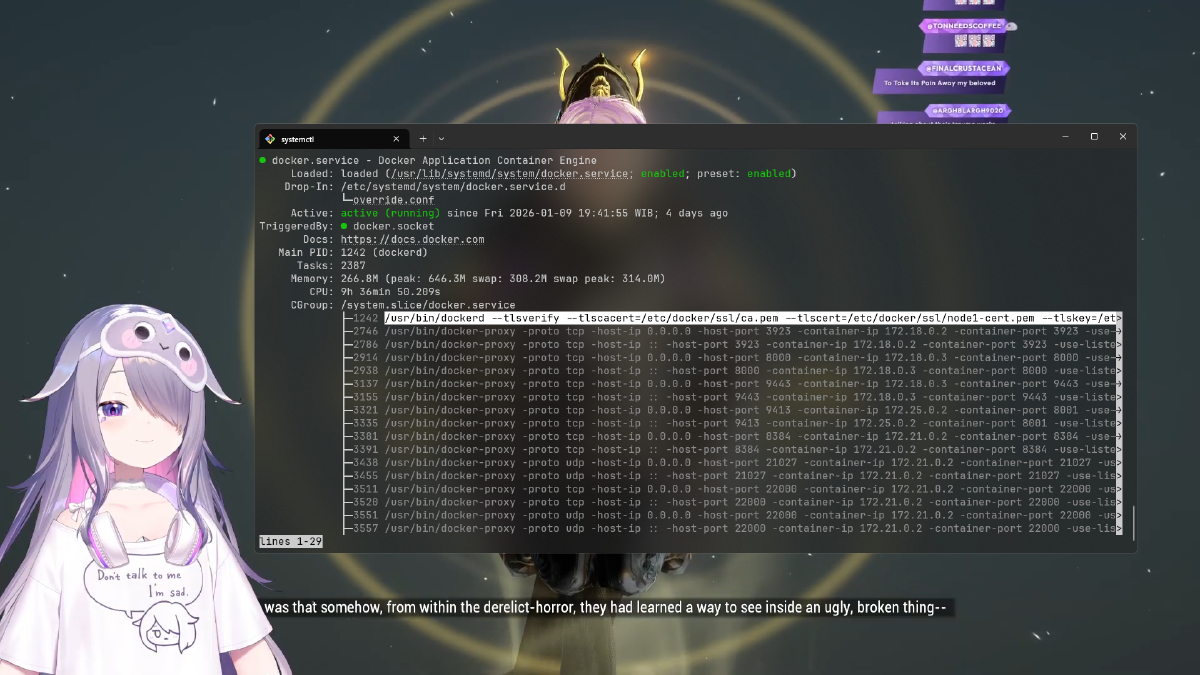
sudo systemctl edit dockerEnter the following:
Ini dengan:
[Service]
ExecStart=
ExecStart=/usr/bin/dockerd \
  --host=unix:///var/run/docker.sock \
  --host=tcp://0.0.0.0:2376 \
  --tlsverify \
  --tlscacert=/etc/docker/ssl/ca.pem \
  --tlscert=/etc/docker/ssl/node2-cert.pem \
  --tlskey=/etc/docker/ssl/node2-key.pem
Reload Docker:
sudo systemctl daemon-reexec
sudo systemctl restart docker
Why is --tlsverify mandatory? It forces the Docker daemon to reject any connection that does not provide a valid certificate.
4️⃣ Generate Client Certificate for Node1 #
HOST=node1
openssl genrsa -out node1-key.pem 4096
openssl req -subj "/CN=$HOST" -new -key node1-key.pem -out node1.csr

echo extendedKeyUsage = clientAuth > ext-node1.cnf

openssl x509 -req -days 825 -sha256 \
 -in node1.csr -CA ca.pem -CAkey ca-key.pem -CAcreateserial \
 -out node1-cert.pem -extfile ext-node1.cnf
Copy files to Node1:
scp node1-cert.pem node1-key.pem ca.pem node1:~/.docker/node2/5️⃣ Test Remote Docker Connection #
export DOCKER_HOST=tcp://10.1.1.11:2376
export DOCKER_TLS_VERIFY=1
export DOCKER_CERT_PATH=~/.docker/node2

docker ps
If the container list from Node2 appears → Success.
6️⃣ Test via Curl #
curl https://10.1.1.11:2376/version \
 --cert ~/.docker/node2/node1-cert.pem \
 --key ~/.docker/node2/node1-key.pem \
 --cacert ~/.docker/node2/ca.pem
Integration with Portainer / Monitoring Tools #
| Field | Value |
|---|---|
| Host | tcp://10.1.1.11:2376 |
| TLS | Enabled |
| Upload files | ca.pem, node1-cert.pem, node1-key.pem |
With this setup, Traefik can securely read the Docker API across different hosts.
Technical Background: Why Does Docker Need TLS? #
The Docker API provides full access to the host machine. Without TLS, anyone on the network could:
- Run malicious containers
- Delete images and volumes
- Take complete control of the server
Therefore, the best Docker daemon protection is mutual TLS, not just a firewall.
How to Quickly Renew TLS if Certificates Expire #
Check the expiration date:
openssl x509 -enddate -noout -in /etc/docker/ssl/node2-cert.pemRegenerate the certificate:
openssl genrsa -out node2-key.pem 4096
openssl req -subj "/CN=node2" -new -sha256 -key node2-key.pem -out node2.csr

echo subjectAltName = DNS:node2,IP:10.1.1.11,IP:127.0.0.1 > ext-node2.cnf
echo extendedKeyUsage = serverAuth,clientAuth >> ext-node2.cnf

openssl x509 -req -days 825 -sha256 \
 -in node2.csr -CA ca.pem -CAkey ca-key.pem -CAcreateserial \
 -out node2-cert.pem -extfile ext-node2.cnf
Replace the files and restart Docker.
Common Troubleshooting #
❌ Cannot connect to the Docker daemon
#
Ensure the unix socket is included in ExecStart:
--host=unix:///var/run/docker.sock❌ Docker service fails to start #
Remove old sockets:
sudo rm -rf /run/docker.sock
sudo rm -rf /var/run/docker.sock
sudo systemctl daemon-reexec
sudo systemctl restart docker
❌ permission denied while trying to connect to docker.sock
#
sudo usermod -aG docker $USER
newgrp docker
Conclusion #
You now understand:
- How to create a CA and Docker certificates
- How to protect the Docker daemon with TLS
- How to connect monitoring tools and Docker across hosts securely
With this configuration, your Docker API is no longer a security vulnerability.