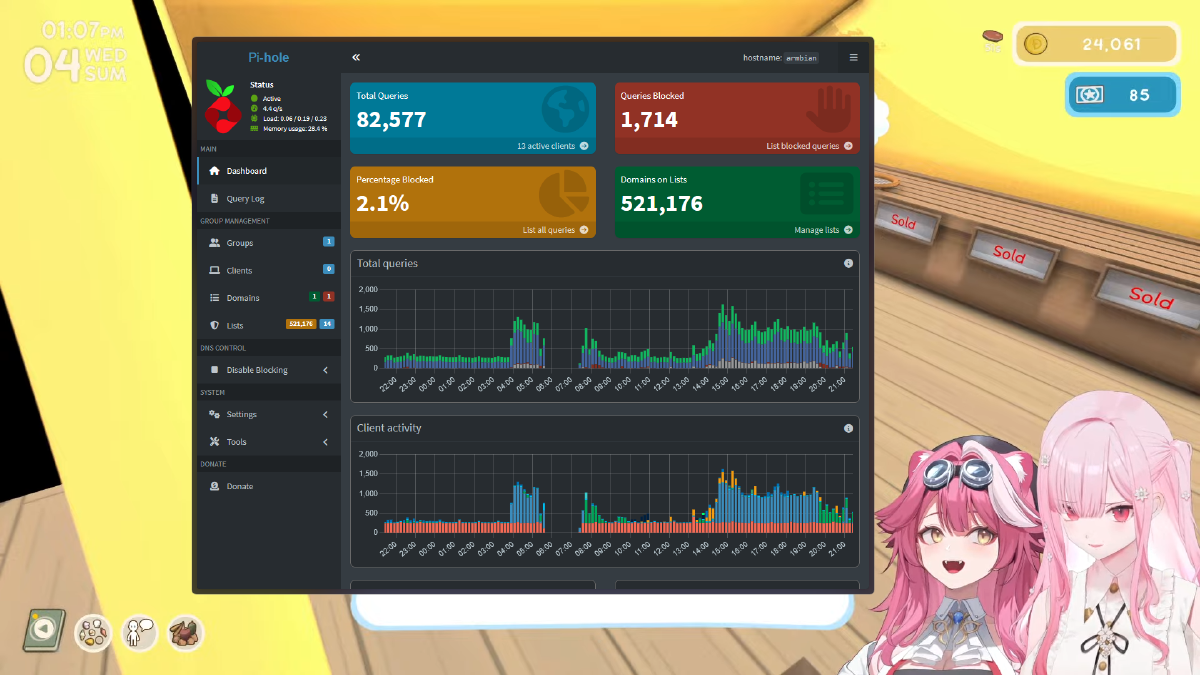


Managing a local network with multiple self-hosted services often leads to a headache, especially if you have to register every single subdomain one by one. Imagine if you have a dozen Docker containers; manually entering records into Pi-hole is certainly not an efficient way to work.
The main issue for Pi-hole users is that the built-in Local DNS Records feature only supports one-to-one mapping. This means one domain name for one IP. If you want all subdomains (e.g., jellyfin.home.noorkhafidzin.com, nextcloud.home.noorkhafidzin.com) to point to the same reverse proxy, Pi-hole does not provide a “Wildcard” button in the standard menu.
However, there is a clever solution hidden behind the advanced settings. This tutorial will guide you through implementing a wildcard domain custom DNS setting in Pi-hole using the dnsmasq feature to make your local domain management much simpler and automated.
Prerequisites #
Before diving into the technical steps, ensure you have prepared the following:
- Pi-hole Admin Access: You must be able to log in to the latest Pi-hole Dashboard.
- Static Server IP: The destination IP address (e.g., the IP of your Reverse Proxy or Nginx Server) must be static.
- Expert Mode Access: An understanding that we will be modifying crucial system settings.
Step-by-Step Wildcard DNS Setup #
Follow these stages to enable the wildcard feature permanently without needing to touch the terminal (CLI).
1. Enabling Expert Settings in Pi-hole #
By default, Pi-hole hides sensitive settings to prevent configuration errors by casual users.
- Open your Pi-hole Dashboard.
- Go to the Settings menu on the left sidebar.
- Click on the System tab.
- Look for the button or option labeled Enable Expert Settings (usually located at the bottom or top right). Click it until expert mode is active.
2. Configuring Custom Dnsmasq Lines #
Once expert mode is active, you will see additional tabs or menus that were previously hidden.
- Navigate to the All Settings > Miscellaneous menu.
- Scroll down until you find the input field named
misc.dnsmasq_lines. - This is where we will insert our wildcard logic.
3. Entering the Wildcard Domain Syntax #
Enter the configuration command following the dnsmasq format. Use the code block below as a reference:
address=/home.noorkhafidzin.com/10.1.1.22The / symbols at the beginning and end of the domain name tell the system that this is a substring match. By writing address=/home.noorkhafidzin.com/10.1.1.22, Pi-hole will direct anything.home.noorkhafidzin.com to the IP 10.1.1.22. This is far more effective than writing entries one by one in the conventional Local DNS menu.
4. Save and Apply Changes #
The final step, which is often overlooked, is committing the changes.
- Click the Save or Apply button.
- Pi-hole will automatically restart the DNS service (FTL) to load the new configuration.
How to Secure Your Homelab Using Traefik Reverse Proxy for Docker
Additional Technical Explanation #
Why Do Manual Entry Issues Occur? #
Pi-hole is essentially a wrapper for Faster Than Light (FTL), which is based on dnsmasq. The Pi-hole Graphical User Interface (GUI) is designed for simplicity; therefore, features like wildcards are intentionally omitted from the main menu to avoid confusing standard home users.
Without the dnsmasq_lines configuration, Pi-hole primarily reads the /etc/hosts file, which technically does not support wildcard characters. This is why you are forced to fill in domains individually if you rely solely on the Local DNS Records menu.
Security and Network Implications #
Using a wildcard offers a massive advantage in a Reverse Proxy architecture. By pointing all subdomains to a single IP (e.g., the Nginx Proxy Manager IP), you only need to manage SSL certificates and routing at a single entry point.
However, keep in mind that this setting will apply to all subdomains. Ensure you do not have domain name conflicts with actual public services. If you set address=/google.com/10.1.1.22, then all Google services will be inaccessible from your network because they are being diverted to that local IP.
Conclusion #
Implementing a wildcard domain custom DNS setting in Pi-hole is the most efficient way for local network admins to save time. By utilizing the expert features and misc.dnsmasq_lines, you no longer need to manually register subdomains every time you add a new service to your server.
Quick Troubleshooting #
- Domain not detected? Ensure you don’t have conflicting entries in the standard Local DNS Records menu, as specific entries sometimes take priority.
- DNS not working? Double-check the forward slash
/syntax. A single character error can cause the FTL service to fail to start.
Did you successfully try this trick, or did you encounter issues while saving the settings? Share your experience or questions in the comments section below!